
A free idle game for your phone
The Great Paper Expansion is a free idle game that plays right in your phone's browser, on iPhone or Android. There's no app to download and no sign-up: open the page, tap Play, and start folding a sheet of paper toward the edge of the universe. It was designed for phones first.
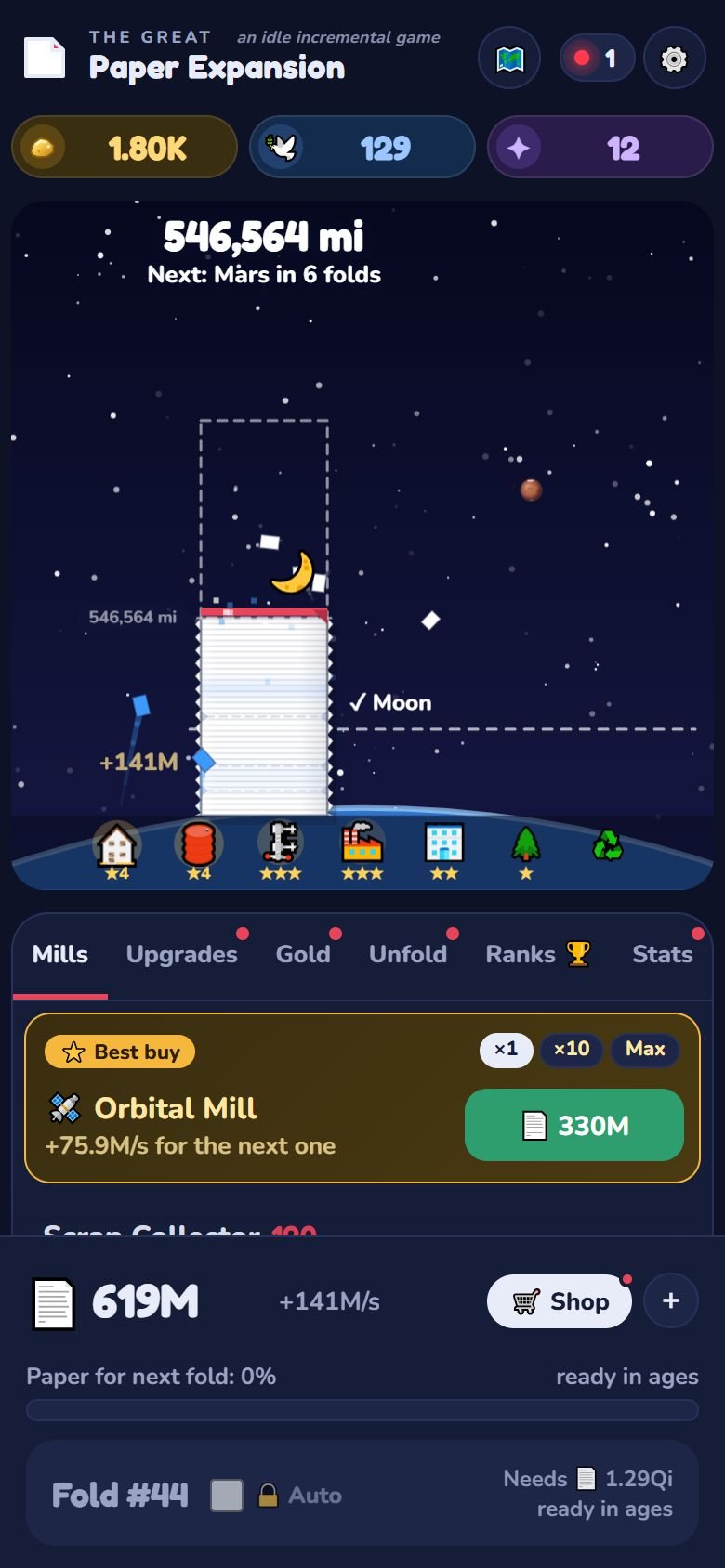
No app store, no download
Because the game runs in the browser, it takes up no storage on your phone and there's nothing to update: every time you open it, you get the newest version. It works in Safari and Chrome on iPhone, and in Chrome, Samsung Internet, Edge or Firefox on Android.
Put it on your home screen
If you'd like it one tap away, like an app:
- iPhone (Safari): open the game, tap the Share button (the square with an arrow), then Add to Home Screen.
- Android (Chrome): open the game, tap the ⋮ menu, then Add to Home screen (or Install app).
The icon opens the game full screen, without the browser's address bar.
Check in, or settle in
It's an idle game, so it fits however you use your phone.
- Check in for a minute. Your mills keep making paper while the game is closed, for up to 24 hours at a time. Open it on a break or while you wait in line, see what you earned on the welcome-back card, spend it, and put your phone away again.
- Or play for an evening. If you'd rather stay and climb, there's always a next fold, a next landmark and a next upgrade. For a long session, plugging your phone in keeps the battery topped up, and the Graphics setting below keeps it cool.
Either way, there's a lot to climb: past Mount Everest, the Moon and the stars to the edge of the observable universe at fold 102, and the game keeps going past it, with a second world, the Grove, for players who get there.
Easy on your battery
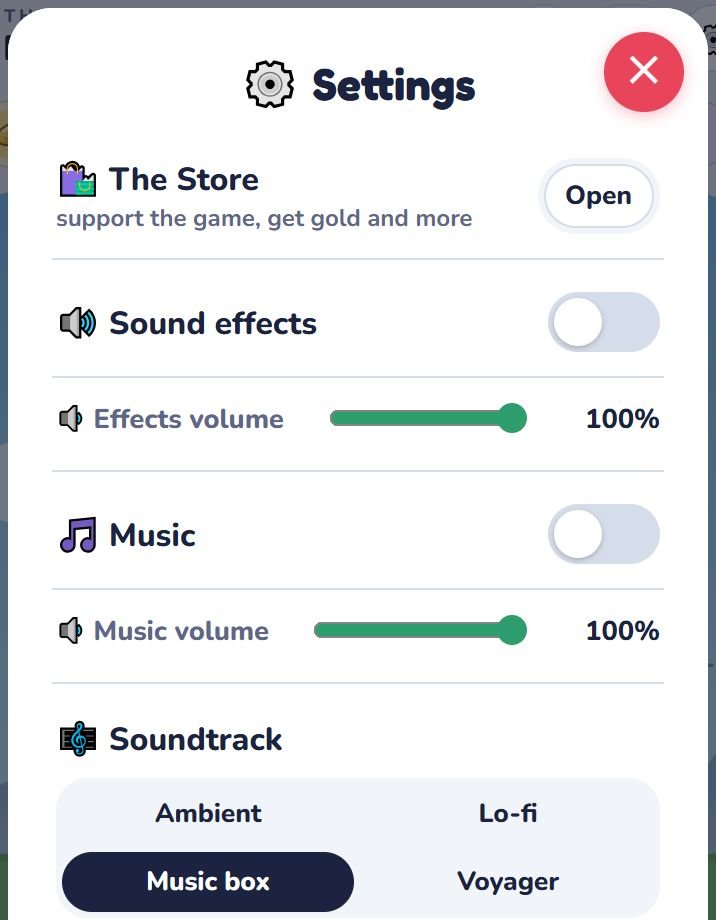
A game you leave running shouldn't heat up your phone. The Great Paper Expansion has a Graphics setting in Settings, labeled Graphics · 🔋 Battery saver:
- Auto (the default) starts at full detail and lowers the effects by itself if your phone is running slowly.
- Medium keeps every animation with about half the sparkle. When you haven't touched the screen for a little while, it also draws fewer frames, and goes back to full smoothness the moment you tap.
- 🔋 Low is the battery saver: the fewest effects and about 30 frames a second, the smoothest choice on older phones.
Behind the scenes, the game also never draws more than about 60 frames a second, even on phones with fast 120 Hz screens, where drawing twice as often would cost battery for motion your eye can barely tell apart. And the best battery saver of all is built into the genre: you don't need the game open for it to keep earning.
Phone performance is something we keep working on, update by update. You can follow every change on the updates page.
One save on your phone and your computer
Your progress saves on your phone as you play, and a copy is kept in the cloud. Add your email in Settings (Save across devices) and the same save works anywhere: fold on your phone on the bus, then carry on on a computer at home. With an email, your progress is also safe if you clear your browser or get a new phone.
Free, with no forced ads
The whole game is free to play. There's an optional Store for anyone who wants to support it, with extras such as paper styles and nameplates, but nothing you need to buy to finish it. There are no forced ads either: nothing pops up in the middle of your game, and any ad break is one you choose to take for a boost.
Questions
Do I need to download an app?
No. The game runs in your phone's browser: open the page and tap Play. You can add it to your home screen so it opens like an app, but there's nothing to install from an app store.
Does it work on iPhone and Android?
Yes. It plays in Safari or Chrome on iPhone, and in Chrome, Samsung Internet, Edge or Firefox on Android, as well as on tablets.
Will it drain my battery?
It's built not to. In Settings, Graphics has a 🔋 Low option that works as a battery saver, and the default Auto setting lowers the effects by itself if your phone is struggling. You also don't need to keep it open: the game keeps earning while it's closed.
Can I play on my phone and my computer with the same save?
Yes. In Settings, choose Save across devices and add your email. Then sign in on your other device and carry on from where you left off.
Does it work without internet?
It needs a connection to open. If your connection drops while you're playing, the game keeps going and saves on your phone, and catches up with the cloud once you're back online.
More to read: what is an idle game? · how to play · FAQ